Introduction
If you’ve spent any time in client meetings, you already know the moment. You’re standing in front of a set of plans, pointing at a section cut, explaining ceiling heights or daylight angles, and the room goes quiet. Not because everyone understands, but because they do not want to admit they don’t.
Most clients aren’t trained to read drawings. They nod, they ask a few questions, and they go home with a mental picture that rarely matches what you designed. A week later, the feedback comes back. Something feels “smaller.” The lighting isn’t what they imagined. The layout needs another look.
This is where 3D Architectural Visualization Walkthroughs have quietly changed how approvals actually happen.
Why Drawings Still Create a Gap?
Plans and sections are precise. They’re also abstract.
Even experienced stakeholders can struggle to connect a 2D drawing to a lived-in space. For clients, that gap is bigger. They don’t see wall thicknesses or reference levels. They see rooms, windows, views, and how it might feel to walk through the front door.
That disconnect is often the real reason approvals slow down. Not because the design is wrong but because it hasn’t landed yet.
3D Architectural Visualization Walkthrough gives clients something closer to their own perspective. They stop reviewing a project and start experiencing it.
What a 3d Architectural Visualization Walkthrough Actually Changes in a Meeting
One of the first things architects notice after introducing walkthroughs is the quality of the conversation.
Instead of questions like,
“Is this the living room or the dining area?”
you start hearing,
“What if we open this side up a little more?” or “Can we see how this feels in the evening?”
That shift matters. It moves the discussion from orientation to design.
Clients can point at the screen and talk about specific moments in the space. Corners. Sightlines. Transitions between rooms. Things that are hard to explain with lines and hatches suddenly become obvious.
Using Walkthroughs Early, Not at the End
There’s a common habit of saving 3D visuals for the final presentation. The “big reveal.” In practice, 3d architectural walkthroughs tend to work better earlier in the process.
At the concept or schematic stage, a simple, clean walkthrough can surface issues before they become expensive. Ceiling heights that feel low. Circulation paths that feel awkward. Window placements that don’t frame the views the way everyone expected.
Catching these moments early often saves more time than any number of coordination meetings later.
How Architects Build Walkthroughs into Their Workflow
Most firms don’t treat walkthroughs as a separate service anymore. They tie them directly to their modeling process.
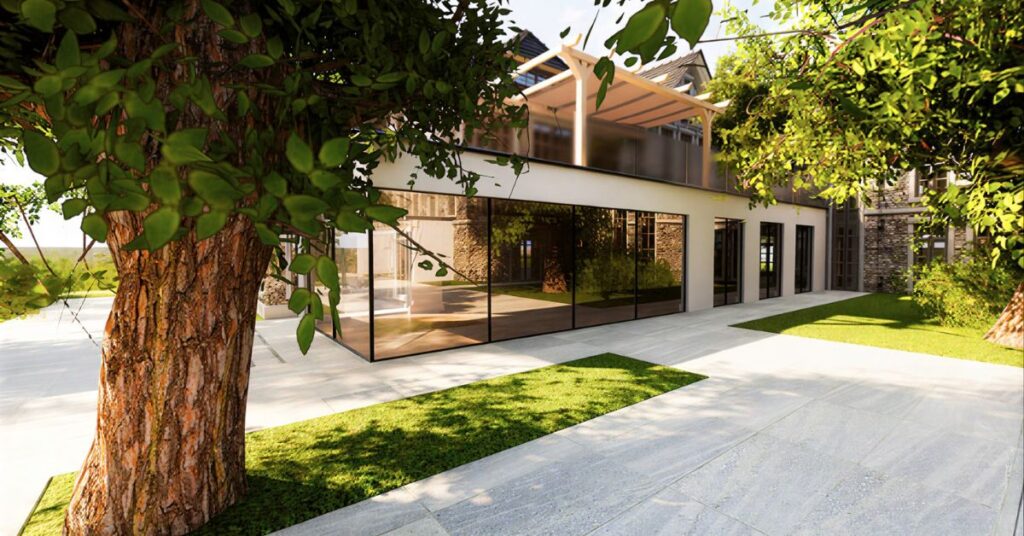
Revit, SketchUp, and other BIM or modeling tools already contain the geometry. Walkthroughs become a way to reuse that work rather than create something new from scratch. The model gets cleaned up, materials are applied, basic lighting is set, and camera paths are defined.
The goal isn’t cinematic perfection. It’s clarity. A walkthrough that feels honest and readable tends to be more useful than one that looks like a movie trailer.
Where Walkthroughs Make the Biggest Difference
Residential Projects
Homeowners often respond strongly to walkthroughs. They care about how rooms connect, how light moves through the house, and how private or open different areas feel. Being able to “walk” through the space helps them commit to decisions they might otherwise keep revisiting.
Commercial and Office Spaces
For corporate clients, walkthroughs help non-design teams understand layouts, branding zones, and circulation. It’s easier to get feedback from operations or leadership when they can see how a space functions instead of reading a plan.
Public and Mixed-Use Projects
When multiple stakeholders are involved, walkthroughs become a neutral ground. Everyone can react to the same experience, even if they don’t share the same technical background.
Reducing Revisions Without Reducing Collaboration

Some architects worry that walkthroughs lock designs in too early. In reality, they often do the opposite.
When clients experience spaces through 3D Walkthrough Homes or similar visualization formats, they understand the design much sooner and give more specific feedback. Instead of broad requests like, “We’re not sure about this area,” you get targeted comments such as, “Can we widen this corridor?” or “What if this wall moved back a bit?”
That kind of feedback is easier to act on. It also tends to lead to fewer late-stage changes, which is where projects usually lose time and budget.
The Role of Lighting and Time of Day
One of the quiet strengths of walkthroughs is the ability to show light.
A static render can show a beautiful moment. A walkthrough can show how that moment changes. Morning light in a lobby. Afternoon glare in a conference room. Evening ambiance in a residential living space.
For many clients, this is where design intent finally clicks. They stop thinking in terms of finishes and start thinking in terms of experience.
Common Mistakes That Reduce Impact
Not every walkthrough helps. Overloading a model with too much detail can slow things down and distract from the design. Unrealistic materials or dramatic lighting can create expectations that don’t match construction reality.
The most effective walkthroughs tend to be restrained. Clear geometry. Honest lighting. Just enough detail to communicate the idea.
What This Means for Approvals
At the approval stage, confidence matters as much as accuracy. Clients are more likely to sign off on something they feel they’ve already “been inside.” Walkthroughs give them that sense of familiarity. The space doesn’t feel abstract anymore. It feels known.
That familiarity often shortens review cycles and reduces second-guessing.
Conclusion
3D architectural visualization walkthroughs don’t replace the skills architects rely on. They make those skills easier to share. When supported by BIM Modeling Services, drawings are transformed into coordinated, data-rich experiences. By turning designs into immersive visuals, 3D floor plan walkthroughs help clients understand space, light, and flow in a way that plans alone rarely achieve.
That clarity leads to better conversations, more focused feedback, and approvals that feel like decisions rather than guesses. In a process built on communication, sometimes the most effective tool is simply letting people walk through the idea before it’s built.
FAQs
Do walkthroughs replace traditional drawings?
No. Drawings are still essential for technical review and construction. Walkthroughs complement them by helping non-technical stakeholders understand the design.
How detailed does a walkthrough need to be?
Enough to explain space, scale, and light. It doesn’t need every fixture and finish modeled perfectly to be effective.
Can walkthroughs be used for remote approvals?
Yes, and this has become one of their biggest advantages. Clients and consultants can review the same experience from different locations and give feedback in real time.
Are walkthroughs only useful for large projects?
Not at all. Small residential and interior projects often benefit just as much, especially when clients struggle to read plans.
How early can a walkthrough be created?
As soon as basic massing and layouts exist. Early walkthroughs are often the most valuable for guiding design direction.